🔥 Major Updates
Two-Factor Authentication (2FA)
Enhance the security of your account with Two-Factor Authentication. In the “My Profile” section, you can now enable 2FA using an authenticator app (like Google Authenticator). Once enabled, the system will require a unique code from your phone upon every login, providing a critical extra layer of security for your account.
Read more about Two Factor Auth right here.
Improved Segmenter with new “OR” filter
We’ve made the Segmenter even more powerful with the addition of an “OR” logic option. This allows you to create segments with multiple, flexible criteria. For example, you can now filter for records that contain either “task” or “úkol” in their name, giving you more precise control over your data views.
Read more about Segmenter right here.
Bulk Records Editing in Tables
Save valuable time with the new bulk editing feature. In any module’s table view, you can now select multiple items and edit their fields simultaneously. Just check the items you want to modify, select “Bulk Actions,” then “Bulk Edit,” and apply your changes to all selected records at once.
👌 Other Innovations
Segmenter Sorting & Record Count
You now have full control over your segments. A new function shows you how many records match your filter criteria before you create the segment. Plus, you can now easily reorder your saved segments using a simple drag-and-drop interface.
Persistent Table Column Width
Your custom view preferences are now saved. Any adjustments you make to the column widths in a table will be preserved, even after you refresh the page or navigate away and come back.
Table Loading Progress Indicator
When loading data in a table view, you will now see a percentage indicator showing the loading progress. This information is also visible in the Information Center to keep you fully updated on what’s happening.
WEBP Image Support
You can now upload attachments in the modern WEBP format to products and other modules, with the images displaying correctly in the detail view.
Centralized Segment Management
In the system settings for each module, you will now find a complete overview of all its segments. You can easily edit or delete segments directly from this central location.
Enhanced Date Pickers
We’ve implemented a new, modern design for all date selection fields. Additionally, the calendar week will now correctly start on Monday for the Czech version and Sunday for the English version.
🧠 Integrator Innovations
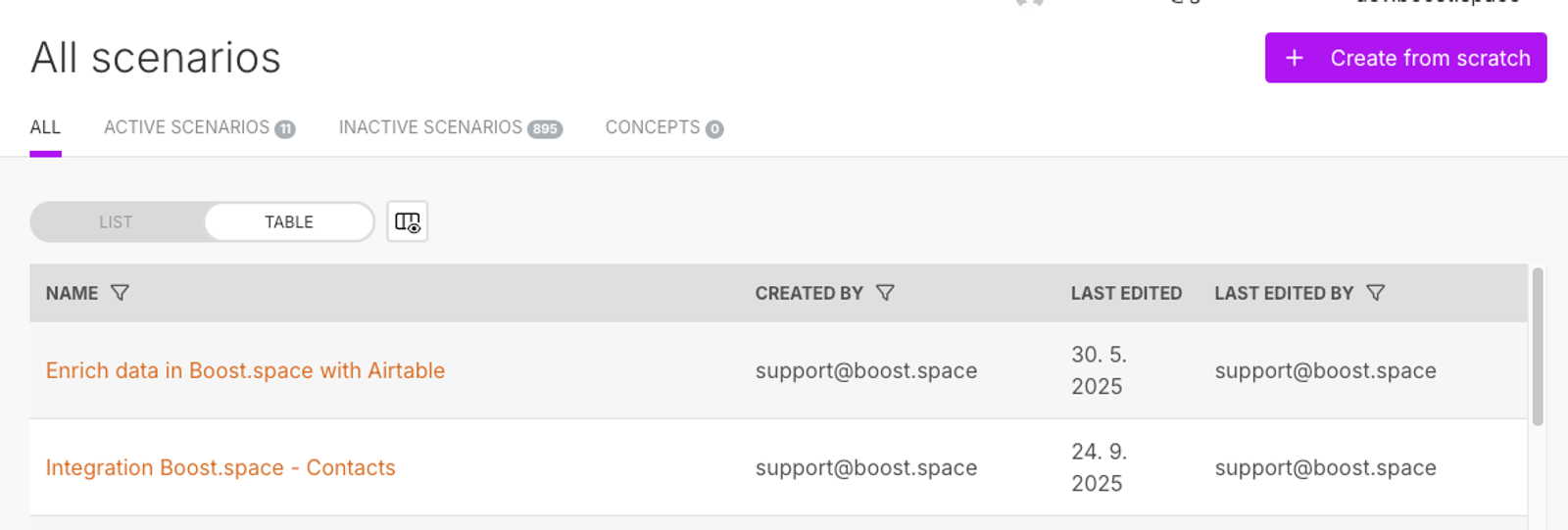
New ‘Table’ View with Advanced Filtering for Scenarios
A new ‘Table’ view has been introduced for Scenarios. This feature provides users with more detailed filtering options, allowing for a more granular and powerful way to sort and view scenario data.
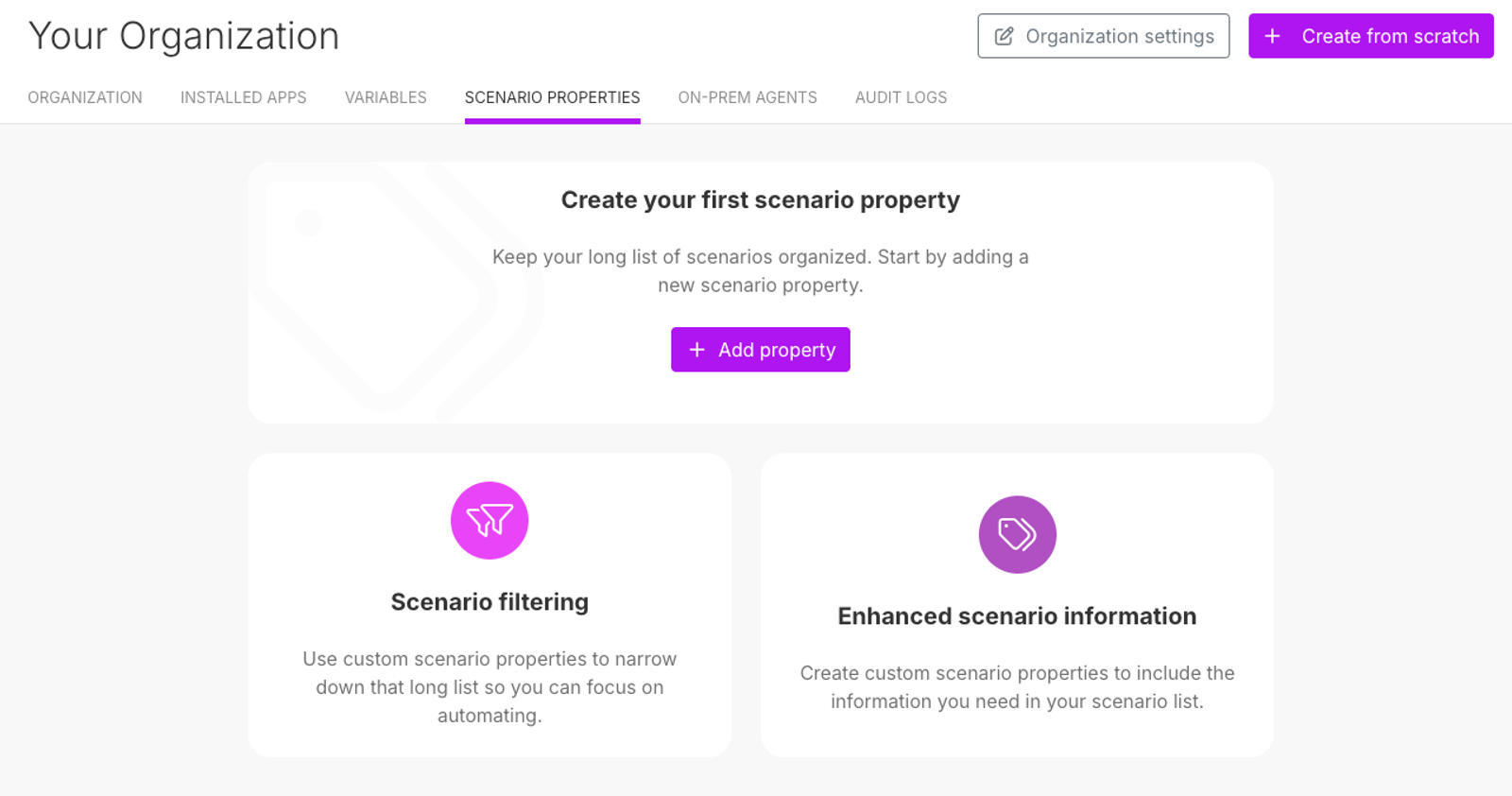
Customizable Scenario Properties
This new table view is directly linked to the introduction of customizable ‘Scenario Properties’. Users can now define and manage these properties within their organization’s settings, enabling them to tailor the available filtering parameters to their specific needs.
✨ Additional Minor Fixes and Improvements
System Performance
We’ve focused on accelerating the system, especially in table views, settings, and general data handling to make your experience smoother.

Tooltip Fixes
Corrected issues where tooltips would not display correctly, ensuring full text for long custom field names and column headers is now visible on hover. We also fixed an issue where long segment names were cut off; they now display fully in a tooltip.
General Fixes
- Resolved system crashes in the Tasks module and during the editing of automated actions.
- Fixed the non-functional “back” arrow in various modules and settings.
- Addressed an issue where the key column was not correctly populating during integration creation in a custom module.
- Corrected bugs with item grouping, conditional coloring, and the display of “look up” and “linked records” custom fields.
- Improved the record counting logic in the Segmenter to prevent calculation errors.
- Fixed the alignment of assigned users in table views.

